 IoT Voice API

Frequently asked questions
What is text-to-speech for IoT?
Text-to-speech for IoT is a cloud API that converts input text into audio files. It provides a simple REST endpoint for smart home and industrial devices to generate speech without complex infrastructure. You send a JSON request and receive an audio file, enabling voice feedback in firmware or backend systems efficiently.
How does TTS work in smart home devices?
Your device sends a POST request to the API endpoint with text, voice, and format parameters. The service returns the generated audio file directly in the response. This lightweight integration works with standard HTTP libraries, allowing firmware to play audio responses for alerts, status updates, or user interactions seamlessly.
Which is better for IoT: MP3 or WAV?
Choose based on your device constraints. MP3 offers small files for bandwidth efficiency. Opus provides high compression with low CPU usage, ideal for resource-limited hardware. WAV and FLAC deliver lossless quality with larger sizes. PCM is uncompressed raw audio. Select mp3, wav, opus, flac, or pcm depending on your specific balance of quality, storage, and processing power.
Can I use this API for voice assistants?
Yes, the API supports eight voice presets suitable for voice assistants, such as aria for narration or atlas for news. You can select any voice and language via the API. The generated audio is returned as a file, which your device can play. It is not a full assistant pipeline but provides the audio component.
What languages are supported in IoT devices?
The API supports 23 languages: Arabic, Chinese, Danish, Dutch, English, Finnish, French, German, Greek, Hebrew, Hindi, Italian, Japanese, Korean, Malay, Norwegian, Polish, Portuguese, Russian, Spanish, Swahili, Swedish, and Turkish. Any voice can speak any of these languages. If the language is not specified, it is guessed from the script, defaulting to English for Latin text.
How fast is the text to voice generation?
Generation speed is roughly real time, processing about 25 characters of text per second of audio. Short phrases may take a few seconds. Requests are processed sequentially, so under load, a request may wait in a queue. This ensures consistent processing without requiring complex parallel infrastructure on your end.
Is there a character limit per request?
Yes, each request accepts up to 4096 characters of input text. For longer texts, you must split the content into parts of this size, generate audio for each part, and join the resulting audio files. This ensures efficient processing and manageable response sizes for your IoT devices.
Do I need an SSD for TTS integration?
No. The API returns audio files directly in the HTTP response, so your device can stream or save them to any storage medium. Integration relies on network connectivity and standard HTTP libraries. This makes the solution ideal for IoT startups with constrained hardware, as you only need to handle the incoming audio data without requiring specialized storage infrastructure.
Can I adjust the speed of the generated voice?
Yes, you can adjust the speech speed between 0.25 and 4.0 using the speed parameter in your request. This allows you to optimize audio length for bandwidth or user preference. The API supports this adjustment natively, so you do not need to post-process the audio files to change playback speed.
What happens if the API request fails?
If synthesis fails, the charge is returned in full. Failed requests are free, so you are not billed for unsuccessful audio generation. This ensures cost efficiency for your IoT applications, as you only pay for successfully generated audio files. You can retry the request or adjust parameters as needed.
Do you store the generated audio files?
No, generated audio is returned in the response and not stored by the API. Input text is used only to produce the audio and is not used for training. Request metadata, such as time, characters, and status, is kept for billing purposes. This ensures privacy and reduces storage overhead on our end.
Are the voices based on real recordings?
Yes. Voices are based on licensed recordings: LibriTTS-R (CC BY 4.0), from LibriVox public-domain audiobook readings. Each generated file carries an inaudible watermark marking it as synthetic speech.
How do I handle long text for notifications?
Split long text into parts of up to 4096 characters. Send each part as a separate API request to generate individual audio files. Then, join these audio files in your firmware or backend to create a continuous notification. This approach handles large texts efficiently within the API's character limits.
What is the cost per character for TTS?
The cost is $10 per 1 million characters, or $0.01 per 1,000 characters. Spaces and punctuation count as characters. There are no monthly plans or minimum spends. You pay only for what you use, with a free trial of $0.50 credit available for new accounts. Failed requests are free.
First request
curl
curl https://api.play8055.com/v1/audio/speech \
  -H "Authorization: Bearer $TTS_API_KEY" \
  -H "Content-Type: application/json" \
  -d '{"model":"tts-1","voice":"aria","input":"Hello from the API.","response_format":"mp3"}' \
  --output hello.mp3
API for Smart Home Audio

The API for Smart Home Audio provides a standard REST endpoint designed for reliable, lightweight audio generation. By using a simple POST request, IoT devices and backend systems can convert text into audio files without complex infrastructure. This approach ensures consistent integration across diverse smart home ecosystems and industrial applications.
Standard REST Endpoint
Send text and receive an audio file via a straightforward HTTP POST request. The endpoint structure mirrors industry standards, allowing immediate compatibility with existing backend services and firmware modules. This simplicity reduces integration time and minimizes the overhead required to handle audio synthesis in resource-constrained environments.
- Single endpoint for all synthesis requests
- JSON request body for easy parsing
- Compatible with standard HTTP clients
Generation Speed
Audio generation typically takes roughly one second per 25 characters of text. Short phrases require a few seconds, while longer texts process at approximately real-time speed. Requests are processed sequentially, so under heavy load, a request may wait in a queue before synthesis begins.
Firmware Integration
The lightweight nature of the API allows direct integration into firmware or backend systems. With a simple base URL change, the official OpenAI SDKs work seamlessly, enabling developers to use familiar tools for IoT audio generation. This reduces the need for custom libraries or complex protocol handling in device code.
- Direct firmware or backend integration
- OpenAI SDK compatible via base_url change
- No custom libraries required
Supported Voices & Languages

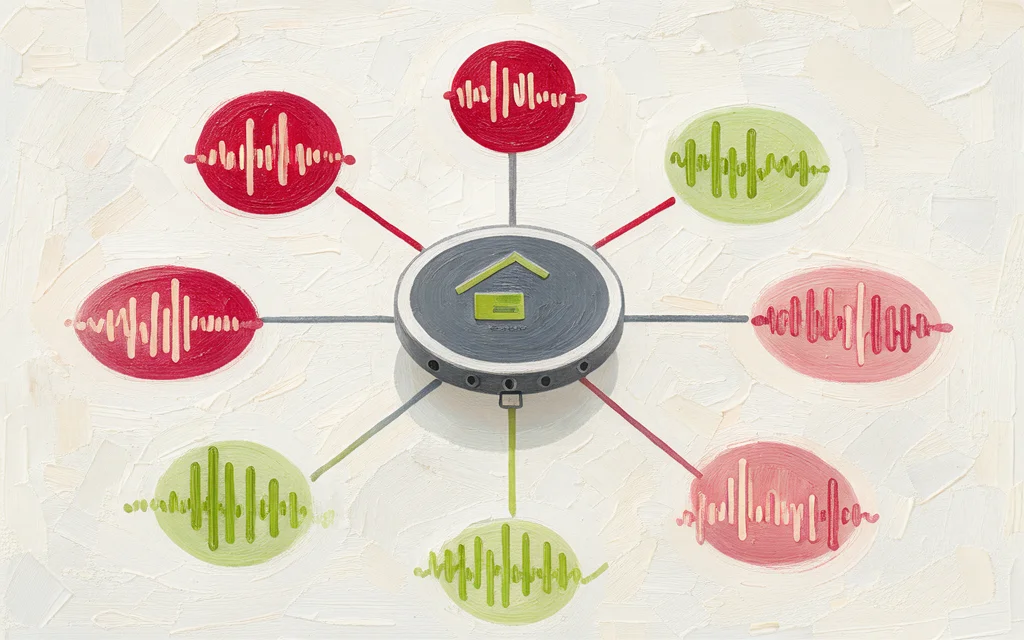
The API provides eight preset voices derived from licensed LibriTTS-R recordings. These range from warm narrators to deep documentary tones, allowing IoT devices to select the most appropriate voice profile for their specific context.
8 Preset Voices
Select from female voices like Aria (warm, clear) or Nova (bright, upbeat), and male options like Felix (energetic) or Atlas (neutral). Each voice offers distinct tonal characteristics suitable for smart home assistants or industrial alerts.
- Aria: Warm, clear narrator
- Nova: Bright, upbeat
- Luna: Soft, storytelling
- Sage: Calm, instructional
- Felix: Energetic, promo
- Milo: Friendly, conversational
- Atlas: Neutral, news
- Orion: Deep, documentary
23 Languages Supported
Generate speech in 23 languages including English, German, Japanese, Spanish, and Arabic. Any voice can speak any supported language, ensuring consistent audio quality across global smart home deployments without needing voice-specific training.
- Arabic, Chinese, Danish, Dutch, English, Finnish, French, German, Greek, Hebrew, Hindi, Italian, Japanese, Korean, Malay, Norwegian, Polish, Portuguese, Russian, Spanish, Swahili, Swedish, Turkish
Auto Language Detection
The API automatically detects the language from the input script. For Latin-script text, it defaults to English. If your device sends non-English Latin text, explicitly set the language field to ensure accurate pronunciation.
Technical Specifications

Engineered for constrained IoT environments, our API supports MP3, WAV, Opus, FLAC, and PCM. Selecting Opus or PCM reduces bandwidth and processing overhead for embedded devices, while MP3 ensures broad compatibility with existing smart home audio stacks.
Audio Formats Support MP3, WAV, Opus, FLAC, and PCM.
Choose the format that best fits your device’s decoder capabilities. Opus offers high compression for low-bandwidth connections, while PCM provides uncompressed raw data for simple firmware implementations.
- MP3: Broad compatibility, moderate compression
- WAV: Uncompressed, low CPU usage
- Opus: High efficiency for constrained networks
- FLAC: Lossless compression for archival quality
- PCM: Raw audio, zero compression overhead
Speed Control (0.25x–4.0x)
Adjust speech rate from 0.25x to 4.0x to match user preferences or reduce processing time. This parameter allows you to optimize audio length without re-synthesizing, ensuring consistent voice characteristics across different playback speeds.
Character Limits (4096 chars)
Each request accepts up to 4,096 characters. For longer notifications, split the text into chunks and join the resulting audio files. This approach ensures predictable latency and prevents token overflow in your IoT backend logic.
Spaces and punctuation count toward the limit. Plan your message structure accordingly to maximize content within the single-request constraint.
Use Cases for IoT

Integrate voice outputs directly into your connected devices. Our API handles the synthesis, allowing your firmware to play announcements, alerts, or notifications without managing complex audio infrastructure.
Smart Speaker Announcements
Generate localized voice prompts for smart home devices. Use the language field to ensure correct pronunciation for specific regions, or rely on auto-detection for Latin-script inputs. With support for 23 languages, you can deploy the same device model globally.
- Support for 23 languages including English, Spanish, and Japanese.
- Auto-detection of language from script or explicit
languageparameter. - Lightweight JSON payloads fit within typical IoT network constraints.
Vehicle Dashboard Alerts
Trigger audio cues for vehicle status updates. The API returns audio files in MP3 or WAV formats, suitable for embedded media players. You can adjust the speed parameter to match the urgency of the alert, ranging from 0.25x to 4.0x.
- Format options: MP3, WAV, Opus, FLAC, PCM.
- Speed control (0.25–4.0x) for varying alert urgency.
- Generation is roughly real-time for long texts, but short phrases take a few seconds and may queue under load.
Industrial Machine Notifications
Provide audible status updates for industrial IoT sensors. Use voices like atlas for neutral news-style updates or sage for instructional prompts. Each request processes up to 4096 characters, allowing for detailed machine status reports in a single call.
- 8 preset voices optimized for clarity and neutrality.
- Handle up to 4096 characters per request.
- Reliable REST API with standard HTTP response codes.
Developer Experience

We leverage the same JSON request shape as the OpenAI speech endpoint, allowing you to reuse existing client libraries with minimal configuration. By simply updating the base_url to https://api.play8055.com/v1, your current OpenAI SDK integration works immediately. This reduces boilerplate code and accelerates integration into your backend or firmware logic.
Authentication is handled via a standard Bearer token. You receive one active key per account, ensuring a clean, unambiguous identity for your API calls. If needed, you can issue a new key at any time, and the old one stops immediately.
OpenAI SDK Compatible
We leverage the same JSON request shape as the OpenAI speech endpoint, allowing you to reuse existing client libraries with minimal configuration. By simply updating the base_url to https://api.play8055.com/v1, your current OpenAI SDK integration works immediately. This reduces boilerplate code and accelerates integration into your backend or firmware logic.
Authentication is handled via a standard Bearer token. You receive one active key per account, ensuring a clean, unambiguous identity for your API calls. If needed, you can issue a new key at any time, and the old one stops immediately.
- - Reuse existing OpenAI SDKs
- - Change only
base_url - - Standard JSON bodies
Simple JSON Requests
Send text and receive audio in a single POST request. The endpoint accepts standard fields like model, voice, input, and response_format. This simplicity fits well within constrained IoT environments where complex payload parsing adds overhead.
The API returns the audio file directly in the response, eliminating the need for polling or managing separate download URLs. This synchronous behavior simplifies error handling and state management in your application logic.
Instant Key Provisioning
Sign up via Google or email/password to receive your API key immediately. No manual approval is required before you can start making requests. This allows your development team to move from configuration to production testing in minutes.
Note that Google sign-ups include trial credit, while email accounts start without it. You can top up via USTRC-20 whenever needed, with credits credited automatically within minutes.

Pricing Model

Generate audio by character count at $0.01 per 1,000 characters. Failed requests are refunded instantly. New Google-authenticated accounts receive a $0.50 trial credit valid for 7 days; email-password accounts start with zero balance.
Pay Per Character
Usage is charged at $10 per million characters. Every character, including spaces and punctuation, counts. If synthesis fails, the charge is returned in full.
No Monthly Fees
There are no subscriptions, seats, or minimum spend requirements. You only pay for what you generate. Balance does not expire.
Transparent Billing
Top-ups use USDT (TRC-20) on the TRON network. The minimum top-up is $5. Credits are added automatically within minutes. No invoices or VAT.
- Minimum top-up: $5
- Payment: USDT (TRC-20)
- Processing: Automatic, ~minutes
Data & Privacy

Input text is processed solely to generate the requested audio file and is never used for model training. This ensures that your specific voice commands or sensor data remain private to your immediate use case.
Generated audio is returned in the API response and is not stored on our servers. We retain only request metadata—such as timestamp, character count, and status—for billing and debugging purposes.
No Training on Input
Unlike consumer voice assistants, our API does not ingest your input text to improve our models. The text you send is used exclusively for synthesis and is discarded after processing.
No Audio Storage
Generated audio is returned in the response and not stored. Once the client receives the file, it is not persisted in our storage systems, reducing your data footprint.
Metadata for Billing
We keep request metadata, including time, characters processed, and status, strictly for billing accuracy and troubleshooting. No content from your input or output is retained for analysis.
Integration Guide

To generate speech, send a POST request to https://api.play8055.com/v1/audio/speech with your Bearer token. The API accepts standard JSON payloads, making it easy to integrate into existing firmware or backend services without complex infrastructure dependencies.
Quick Start with cURL
Use this command to test the endpoint immediately. Replace YOUR_KEY with your API key and text with your input string. The response returns the audio file directly, ready for playback or storage in your IoT device.
- Endpoint:
POST https://api.play8055.com/v1/audio/speech - Auth:
Authorization: Bearer tts-... - Format: JSON body with
model,input,voice
SDK Configuration
The API mirrors the OpenAI speech endpoint structure. You can use the official OpenAI SDK by pointing base_url to https://api.play8055.com/v1. This allows you to leverage existing client libraries without writing custom HTTP parsers for your integration.
- Base URL:
https://api.play8055.com/v1 - SDK: Official OpenAI SDK works with base URL override
- Auth: Use your
tts-...key in the Authorization header
Error Handling
Failed synthesis requests are free and return a full refund. If an error occurs, the API returns a standard HTTP error code with a JSON error object. Check the code and message fields to debug issues like invalid voices or rate limits (60 req/min).

Why Choose This API

Most IoT devices operate on constrained networks with limited bandwidth and processing power. Our API delivers standard REST responses that integrate directly into firmware or lightweight backend services without requiring complex infrastructure or dedicated media servers. This simplicity reduces integration time and minimizes the computational overhead on edge devices.
Lightweight Protocol
We use standard HTTP POST requests with JSON bodies, returning complete audio files in formats like MP3 or Opus. There are no streaming dependencies or WebSocket connections required. Your firmware can simply send the text and receive the binary audio data, making the integration predictable and robust across varying network conditions.
- Standard REST API compatible with OpenAI SDKs
- No streaming or WebSocket dependencies
- Simple JSON request structure
Predictable Costs
Costs are tied directly to usage at $0.01 per 1,000 characters, with no monthly fees or minimum spend. Failed requests are free, ensuring you only pay for successful synthesis. This model scales linearly with your device count, making budget forecasting straightforward for hardware startups.
- $0.01 per 1,000 characters
- No monthly fees or subscriptions
- Failed requests are free
Engineering-Focused
We prioritize reliability and clarity over marketing hype. Our API provides 8 distinct voice presets across 23 languages, with auto-detection for common scripts. The service is designed for engineers who need consistent, deterministic outputs for smart home announcements, vehicle alerts, or industrial notifications without managing complex audio pipelines.
- 8 preset voices for clear audio
- 23 languages with auto-detection
- No SSML or phoneme complexity
Listen to the 8 voices
Each sample below was generated by this API from the same sentence. Transform your residential devices into an intuitive, connected ecosystem that delights modern homeowners.


23 languages
Any voice speaks any of these languages.